Introduction: The Role of CTA Text in Conversions
Choosing the right call-to-action (CTA) on a vacation rental booking site can significantly impact conversions. The Safe Step Principle – a concept promoted by Conversion Rate Experts – suggests using a “safer”, lower-commitment first step to ease users into the funnel. In the context of a direct-booking vacation rental website, this often means deciding between a “Book Now” button (a high-commitment, immediate action) and a “Check Availability” button (a lower-commitment, exploratory action). This report examines which CTA tends to perform better for vacation rental audiences, drawing on conversion rate optimization (CRO) case studies, psychological principles (like commitment gradients and loss aversion), industry A/B tests, and UX best practices. It concludes with a structured recommendation and actionable advice, including alternative CTA phrasing if warranted.
Conversion Data & Case Studies: Book Now vs Check Availability
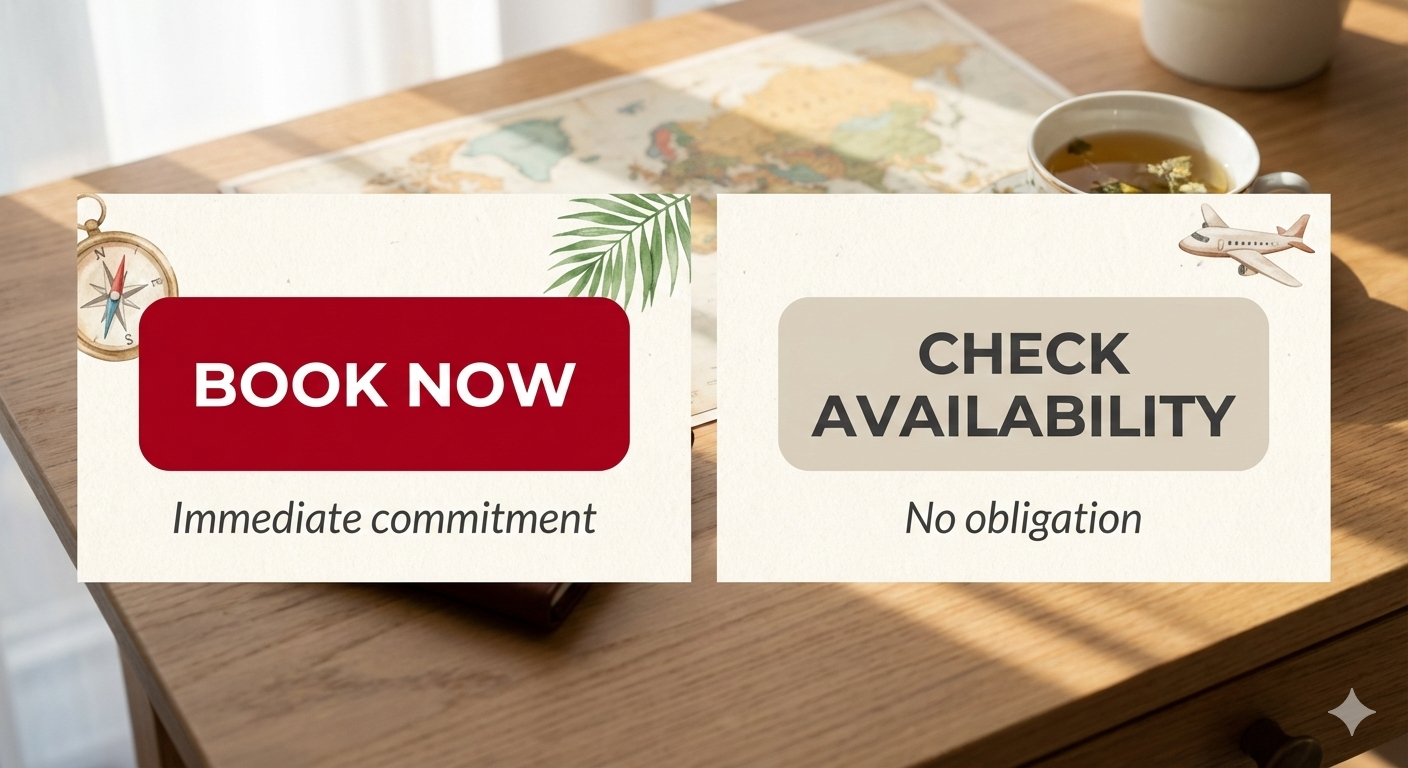
Real-world data from the travel and tours industry consistently shows that softer CTAs like “Check Availability” outperform aggressive CTAs like “Book Now” in early funnel stages:
-
Vacation Rental A/B Test: In one experiment for a vacation rental brand, replacing a “Book Now” button with “Check Availability” led to 35% more user engagement with the property page CTA. The hypothesis was that “Book Now” appeared too early (several steps before checkout), whereas a more open-ended phrase invited clicks. The result was a clear win for “Check Availability”.
-
Tour Booking Case Study: A tour operator saw an overnight spike in bookings by changing their CTA from “Book Now” to a longer phrase: “See Tour Dates & Availability.” Simply adding four words prompted far more users to click. According to the consultant, “Book Now” implies commitment (decision and payment) and can cause hesitation, whereas “See Dates & Availability” feels like a light, exploratory step – and “that’s the difference that gets the click”.
-
Dramatic Click-Thru Lift: In another A/B test, a travel company compared “Book Now” vs “Check Availability” on their landing page and reported a 116% increase in CTA clicks after switching to the “Check Availability” variant. This huge lift underscores how a less committal CTA can double the engagement at the top of the funnel.
-
CRO Industry Observations: Conversion specialists in the tours and hospitality space note that even minor wording tweaks can yield meaningful improvements. As one CRO expert notes, “just changing the button text from something like ‘Book Now’ to ‘Check Availability’ has had a meaningful impact on conversion rates” in multiple instances. Not every site will see the exact same result, but many have picked up easy wins by testing a softer CTA. These findings align with hotel marketing advice to experiment with direct CTAs vs. indirect ones; testing “Book Now” against phrases like “Find out more” or “Check availability” often reveals that the less direct approach can boost click-through rates depending on the audience.
Why are we seeing “Check Availability” win so often? The data suggests that many visitors are not immediately ready to commit on their first interaction. In the hotel industry, “most travelers who visit your website are not ready to book”, but are instead browsing and comparing. A “Book Now” button presented to an unready visitor can feel premature, whereas inviting them to check open dates or rates first is a gentler prompt that captures leads without scaring them off.
Psychological Factors: Commitment Gradient & FOMO
Human psychology plays a pivotal role in why a “Check Availability” CTA often outperforms “Book Now”. Key principles include:
-
Foot-in-the-Door Effect (Commitment Gradient): This principle states that getting someone to agree to a small initial request increases the likelihood they’ll agree to a larger request later. In CRO terms, “Book Now” is a big ask (immediate commitment to a purchase), whereas “Check Availability” is a small ask (just see options). By first asking the visitor to take a minor action (click to see available dates), you secure a micro-commitment. After that step, users are psychologically more inclined to continue with the booking process for the sake of consistency. In essence, a “Check Availability” button lets the traveler “put a foot in the door” – a small yes that paves the way for the bigger yes of completing a reservation. This aligns with the Safe Step Principle: reduce the perceived risk at the start of the journey.
-
Lower Perceived Risk and Effort: “Book Now” signals an immediate transaction – users may equate it with entering payment details right away, which heightens perceived risk and effort. “Check Availability,” on the other hand, implies no obligation – it frames the next step as information-gathering. This “feels lighter, safer, and less final” to users in exploration mode. Especially for high-consideration purchases like vacations, a low-pressure CTA keeps users moving forward when they might otherwise bounce. As one expert put it, “‘Book Now’ is a commitment… but ‘See Dates & Availability’ is exploration”, and that difference helps hesitant customers cross the threshold into your funnel.
-
Loss Aversion & Urgency (Fear of Missing Out): The phrasing “Check Availability” subtly introduces the notion that availability might be limited, which can trigger a sense of urgency. Users don’t want to lose the opportunity to book their preferred dates (a manifestation of loss aversion). In fact, adding a hint of “dates might be gone if you wait” can create a “touch of FOMO with the idea of limited availability” that motivates the click. By contrast, “Book Now” focuses on the user’s action rather than what they might miss; it can even create pressure without context. The Check Availability step inherently says: “Let’s see if your dates are still free” – implying others might book it if you don’t act. This leverages FOMO in a user-friendly way.
-
User Control and Autonomy: Phrasing like “Check”, “See”, or “Find” is guiding rather than demanding. It tells the user “you’re in control, no pressure – just take the next step”. This sense of autonomy can reduce resistance. Users feel they are just gathering information rather than being pushed into a sale. In behavioral terms, this reduces reactance (the impulse to resist a forced action) and increases compliance by making the action align with the user’s own intent (they do want to know if the rental is available for their dates).
In summary, “Check Availability” creates a commitment gradient: it starts with a trivial commitment and builds momentum, whereas “Book Now” is a leap that many users aren’t ready to take on first click. The former also taps into soft urgency (scarcity of availability) without the hard sell. These psychological factors explain why the safer-step CTA often yields higher engagement and ultimately more completed bookings.
Industry UX Practices: Matching CTA to Funnel Stage
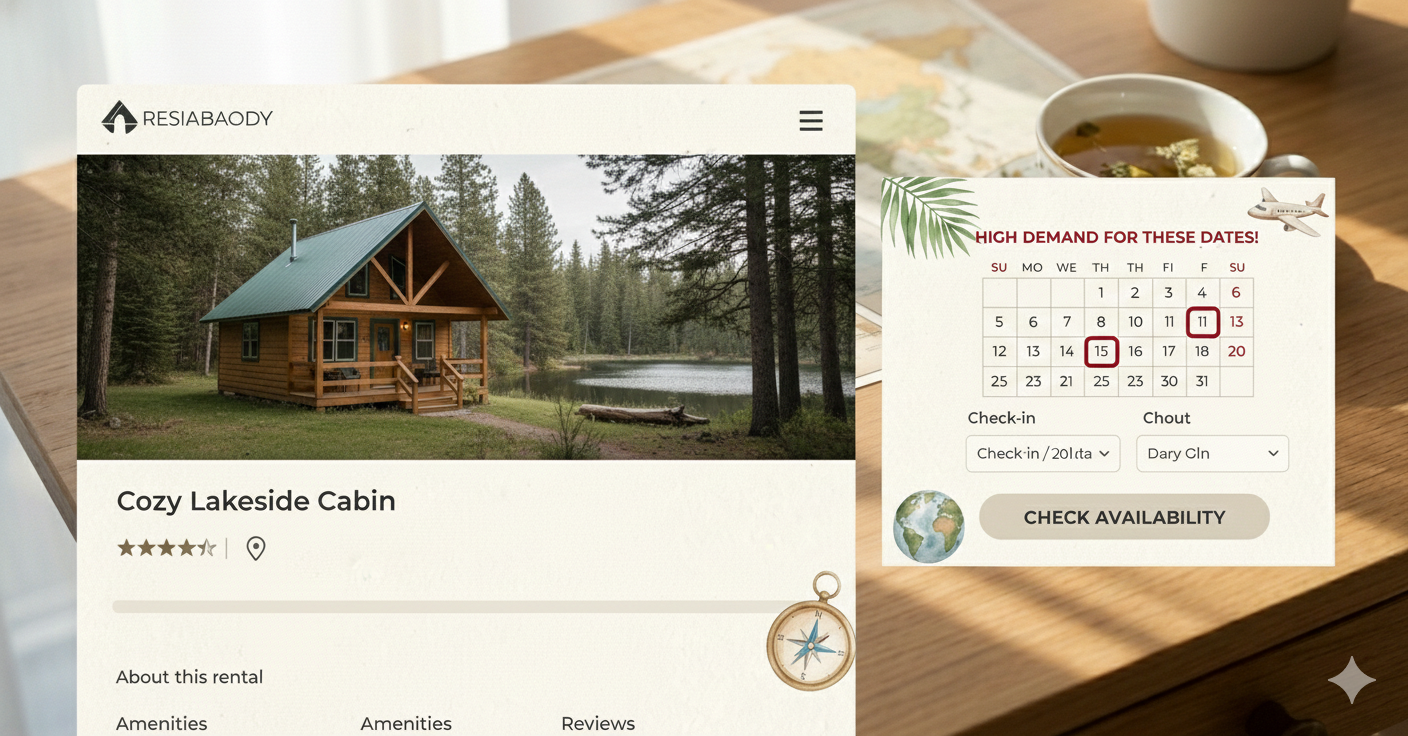
User experience experts often emphasize that CTAs should align with the visitor’s stage in the decision process. In the travel and hospitality industry, the prevailing practice is to use a low-commitment CTA early, and escalate commitment only as the user progresses:
-
OTAs and Big Travel Sites: Major platforms like Airbnb famously use “Check Availability” (or similar wording) on listing pages instead of an immediate book prompt. This is intentional – Airbnb’s CTA feels less pushy than a “Book Now” button, which is crucial for such a high-consideration purchase. The softer CTA matches the user’s intent on a listing page: they are likely checking dates and price before deciding to book. Only after the user selects dates does Airbnb switch to a “Reserve” or “Book” step. This two-step approach (availability first, booking second) is a UX pattern widely adopted in the hotel and vacation rental industry to avoid scaring off users who are still in the consideration phase.
-
“Search vs. Book” on Direct Sites: For a direct-booking vacation rental site, your homepage or hero section might present a date search or “Check Availability” as the primary action. This casts a wider net: it engages both committed bookers and those just browsing options. Once the user has seen available properties or dates, you can present a “Reserve Now” or “Book Now” on the final booking step (or on the specific property page when the user is presumably closer to decision). This funnels users gently from browsing into booking. UX professionals note that presenting the right level of commitment at the right time is key – browsers need different language than ready-to-buy customers. Early in the journey, CTAs like “Learn More,” “View Details,” or “Check Availability” cater to an Awareness/Consideration stage mindset, whereas “Book Now” is appropriate at the Decision stage when the user has all the info they need.
-
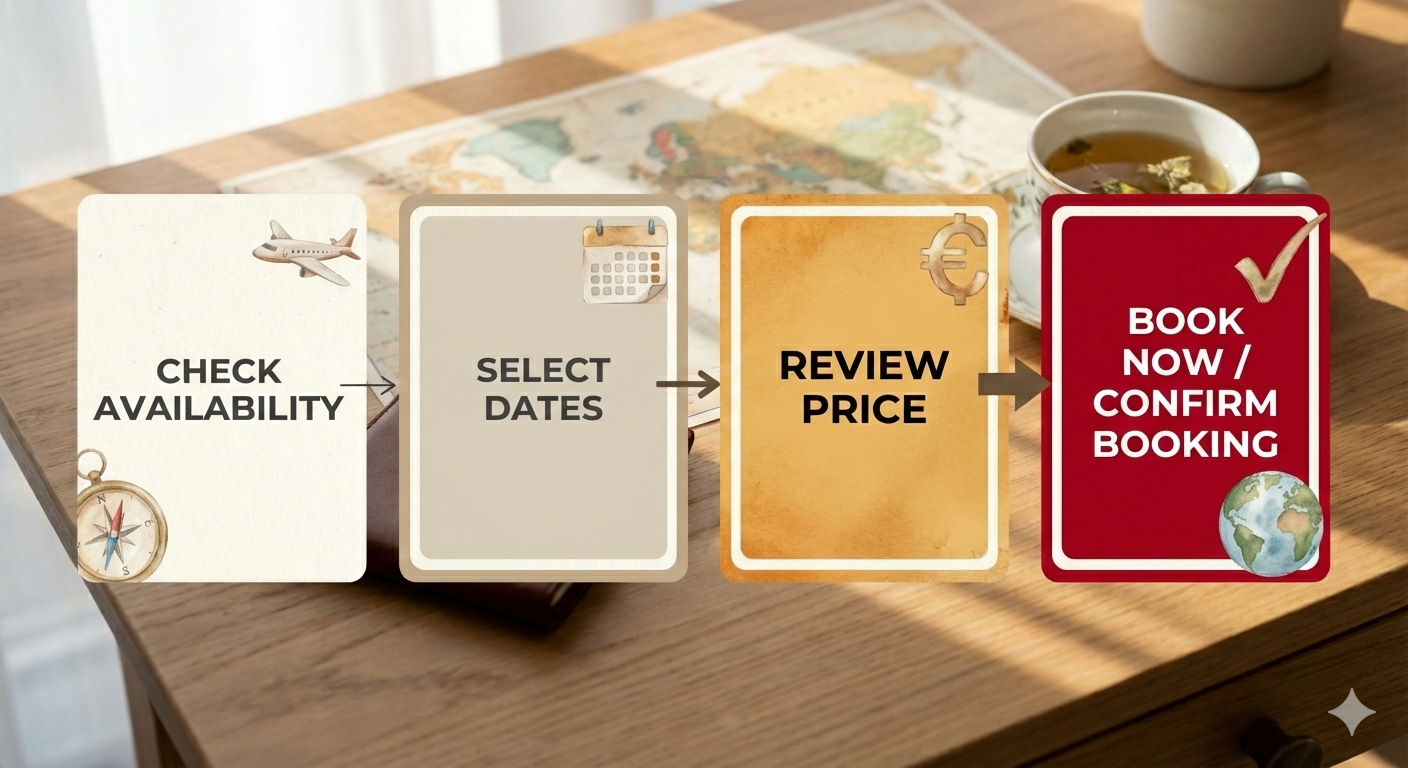
Multi-Step Booking Flows: The success of “Check Availability” CTAs is related to the broader CRO finding that multi-step processes can improve conversion. Instead of asking for everything up front, breaking the action into smaller steps reduces intimidation and friction. For example, a site might first ask for dates (availability check), then show available options, then ask for guest details and payment. Each step is a micro-conversion. Studies have found that multi-step forms have higher completion rates because the initial steps are easy and get users invested in finishing. In our context, “Check Availability” is essentially Step 1 of a multi-step booking form, and its effectiveness is a specific instance of that general UX principle.
-
Mobile and Speed Considerations: On mobile especially, users have even less patience for heavy commitment upfront. Ensuring your “Check Availability” CTA (or search bar) is prominent and quick to use can hook users who are just quickly checking on their phone. Once they see availability (and maybe a tempting rate), they’re more likely to proceed. Always make sure that after clicking Check Availability, the next page or modal loads fast and clearly shows the info (dates, price, etc.) – this continuity builds trust that the user is progressing toward booking at their own pace.
In short, industry best practices support using “Check Availability” as the primary CTA at the start of the user journey, switching to “Book Now/Reserve” at the point of conversion. This phased approach aligns with how users naturally decide on travel plans. It balances the need to encourage bookings (you still highlight the end goal) with respect for the user’s decision timeline.
CTA Copy Length and Alternatives
One concern raised is whether the phrase “Check Availability” might feel too long or unwieldy on a button, and if alternate wordings could work better. Let’s address this:
-
Length & Clarity: “Check Availability” is two words (four syllables), which is reasonably concise and very clear in meaning. It’s commonly used, so users instantly understand it. In general, CTA buttons should use 1–5 words for quick readability, and “Check Availability” fits that guideline. While shorter options like “Check Dates” or “See Available Dates” exist, the slight increase or decrease in length is usually not a critical issue as long as the text is clear and action-oriented. In fact, one case showed that adding more detail to the CTA (making it longer) improved performance – e.g. “See Tour Dates & Availability” outperformed “Book Now”. The additional words provided context that reduced the perceived commitment. Thus, being explicit can trump brevity if it addresses user concerns. The key is that every word in the CTA should either inspire action or reduce anxiety. “Check Availability” does both: “Check” is an action verb and “Availability” hints at urgency/limited supply.
-
Tone Variations: Depending on your brand voice, you can experiment with slight tweaks:
-
More Personalized: Some CRO experts suggest making CTAs personal. For example, “Check My Dates” or “Find Your Stay” can add a sense of ownership or personalization. (E.g., a site might use “Check My Availability” after the user enters dates, confirming it’s their chosen dates being checked.)
-
Alternate Verbs: Instead of “Check”, you might use “View Availability” or “See Availability”. These are slightly softer in tone but convey the same idea. For instance, “See if Your Dates Are Free” is an inviting variation (though usually as a subtext/microcopy near the button rather than on the button due to length).
-
Emphasize Ease or No Commitment: Another effective approach is to reassure the user that clicking won’t trigger a payment. For example: “Start Your Booking – No Payment Yet” or “Reserve Your Spot (No Payment)” can be used if you have room for a subtitle or tooltip. One of the high-performing variations in tours was “Reserve Your Spot – No Payment Needed”, which directly tackles the fear that clicking “Book” means entering credit card info immediately. On a button, you could shorten this to “Reserve Now” and have a subtext “No charge yet” below it. This approach still follows the safe step principle by removing financial commitment from the first click.
-
Invitational Phrases: Some travel sites use phrasing like “Plan Your Trip” or “Check Rates”. “Plan Your Stay” or “Explore Dates” might also fit for a vacation rental context, suggesting the user is just gathering options. These are a bit abstract, so use them only if accompanied by clear context (e.g. placed next to date fields or calendar).
-
-
Avoiding Weak CTAs: While lowering commitment, ensure the CTA isn’t so vague that it fails to motivate. For example, “Learn More” on a booking page would be too weak – it doesn’t hint that the next step is about availability or booking. “Check Availability” strikes a good balance: it’s action-oriented and specific (user knows they will see available dates or units), yet it doesn’t demand an immediate purchase. Stick to phrasing that contains a strong verb and a clear object (dates, availability, reservation, etc.). According to CTA copywriting best practices, being specific about the outcome increases conversion. In this case, the outcome is seeing available dates/rates, so make sure that’s conveyed.
-
Visual Length Consideration: If “Check Availability” looks too long on your button design (for instance, wrapping on mobile), you could adjust the styling. A slightly wider button or a smaller font can accommodate it. If necessary, a shorter synonym like “Availability” (one word) is possible but not recommended because it loses the action word – users might glance over a button that just says “Availability” since it doesn’t sound like a command. It’s better to shorten to “Check Dates” or “View Availability” if space is truly constrained.
-
Testing Alternatives: Ultimately, slight phrasing differences can be A/B tested for your specific site. Some direct booking sites use “Book Now” on property pages but “Check Availability” on search results. Others might try “Book Now” vs “Check Availability” in the same spot. Given that CRO results can vary, consider running your own experiment as a sanity check. Test one of the alternative CTAs (e.g. “Check Availability” vs “Book Now”) and measure not just clicks on the button, but how many users ultimately complete bookings from each variant. In most cases, you’ll likely see more people enter the funnel with the softer text – and as long as your booking process is solid, that should lead to more completed bookings. But if by chance you find your particular audience prefers a more direct prompt, the data will tell you. Many experts advise letting “your potential guests’ actions provide the definitive answer” via testing.

Actionable Recommendations for a Direct-Booking Vacation Rental Site
1. Use “Check Availability” as the Primary CTA for Initial Engagement: On your homepage and property listing pages, favor a CTA label like “Check Availability” or a close variant (e.g. “Check Dates” or “View Availability”). This will likely increase the proportion of visitors who click the CTA and enter the booking funnel, as it’s a lower-friction invitation. It taps into curiosity and FOMO (they want to see if their desired dates are open) without scaring them away. Multiple case studies indicate this change can lift click-throughs significantly (by 30%+ in engagement, as seen in one test, and even double in some cases). More entrants into your funnel gives you more chances to convert them down the line.
2. Provide Reassurance and Urgency in the Booking Flow: When the user clicks “Check Availability,” ensure the subsequent step reinforces a no-pressure but timely vibe:
-
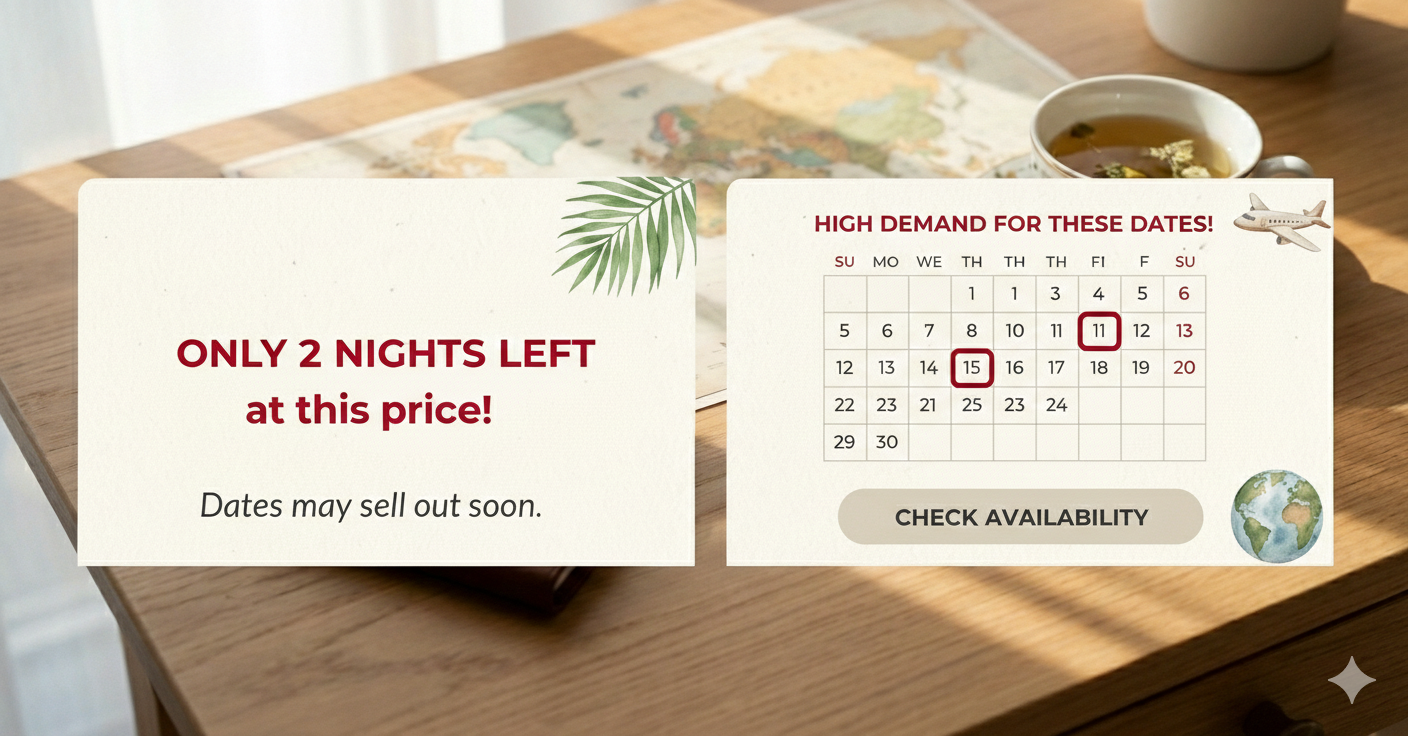
If possible, display a message like “Available! No payment needed to proceed to booking.” For example, if a user selects dates and the property is available, show a “Great news – it’s available! **Next: Reserve your stay (you’ll review details before payment)”*. This ties into the foot-in-door effect: they’ve taken Step 1, now gently guide them to Step 2. Also, if availability is limited (only one unit left, or high season filling up), you can highlight scarcity (“Only 2 nights left at this rate”) to leverage loss aversion while they are already engaged.
-
Conversely, if the dates aren’t available, present alternatives (other dates or properties) with a CTA like “See other available options” – this keeps them in the funnel rather than hitting a dead end.
3. Use “Book Now” at the Appropriate Moment: Once a guest has selected their dates and seen that the rental is available (and the price), that’s the time to use a decisive CTA like “Book Now” or “Confirm Booking.” At this stage, the user has essentially expressed intent to book, and a clear instruction to finalize the reservation is suitable. By now the user’s mindset has shifted to decision mode, so a strong CTA helps close the deal. Make this button prominent and pair it with trust signals (security icons, cancellation policy, etc. near it) to give final reassurance. The idea is to gradually increase commitment: Check availability → Select dates → Book now. Each step feels natural and expected.
4. Consider Microcopy to Reduce Anxiety: If you stick with “Book Now” on your site, consider adding a small line of text below or inside the button that eases the fear of clicking it. For example: “Book Now” with a subtext “(Free cancellation)” or “(Pay at check-in)” if those apply, can mitigate the pressure. Since your business is direct bookings, you might highlight “No booking fees” or “Best price here” next to the CTA to encourage users to book directly now rather than going back to an OTA. These tactics reassure the user at the critical moment of conversion, and can be tested alongside the CTA wording.
5. Align CTAs with User Intent on Every Page: Audit each stage of your website:
-
Homepage/Hero: If you have a search bar, the button might say “Search” or “Check Availability”. Make sure it’s clear that it will lead to available rentals or open dates. If you showcase a specific property in the hero, a “Check Availability” button there can jump to its calendar or availability form.
-
Property Listings / Search Results: Each card or listing could have a “Check Availability” or “Details” CTA. Sometimes showing a price or price range with a “See Details” is effective, and on the detail page you then have “Check Availability” for that property.
-
Property Detail Page: Ideally, show a calendar or date picker, and the button to submit that form can be labeled “Check Availability” or simply “Search” (since the context is clear it’s for that property). After they enter dates and click, show availability and then reveal the “Book Now” button to proceed. If your site allows instant booking, funnel them straight to checkout from there. If it’s a request-to-book model, you might say “Request to Book” which is functionally similar to Book Now but implies the host will confirm. In either case, keep the language consistent with the level of commitment – don’t show “Book Now” until the user has indicated dates/selection.
-
Navigation/Menu: Some direct-book sites keep a persistent “Book Now” in the header. If you have this, consider if it goes straight to a booking form (which might be jarring) or if it scrolls the page to the availability section. A safer approach is labeling it “Availability” or “Reservations” in the menu, which when clicked brings the user to the booking section. However, if analytics show people do click a persistent “Book Now” and convert, it can remain – just ensure it doesn’t drop cold visitors into a checkout form with no context.
6. Leverage Analytics and A/B Testing: Implement tracking for your CTA clicks and subsequent conversion rate. For instance, measure the percentage of visitors who click the primary CTA and then how many complete the booking. If you switch to “Check Availability” and see CTA clicks go up but completions don’t drop, that’s a win – you’re capturing more potential guests. If by any chance a softer CTA increases clicks but many are low-intent (dropping off after seeing availability), consider if additional trust signals or urgency might be needed on the availability results page (e.g., “Price secured for 15 minutes” or “Your dates are popular!”). The goal is to maintain the user’s momentum from that first click through to confirmation. Keep testing iterations of wording: for example, test “Check Availability” vs “Check Dates Now” (adding “Now” can add urgency), or “Check Availability” vs “Check Price & Availability” (adding “Price” might attract deal-seekers but also implies a bit more commitment). Let the data inform refinements, but avoid swinging to extremes (like back to “Book Now” everywhere) without evidence.
Summary & Recommendation
For a vacation rental direct booking site, “Check Availability” (or similar low-commitment phrasing) is generally the superior primary CTA for initial user engagement, compared to a hard “Book Now” button. The evidence – from A/B tests in the travel sector and CRO experts – indicates that a safe first step CTA yields higher click-through and ultimately more bookings. This is largely because it aligns with user psychology: it lowers the psychological barrier to entry, capitalizing on the foot-in-the-door effect and leveraging gentle FOMO to nudge visitors into the funnel.
Use “Book Now” strategically at the point of true intent, not as a blunt tool on every page. By structuring your funnel with “Check Availability” → “Book Now” as sequential calls to action, you respect the user’s journey from browsing to booking. This approach has been shown to convert “lookers into bookers” more effectively, as it guides rather than forces the decision. Notably, even a slight copy change (e.g. adding context like “See dates & availability”) can produce immediate improvements in booking conversions, underscoring how powerful the right wording can be.
In implementing this, don’t be afraid that “Check Availability” is too long – clarity trumps brevity in CTAs. The phrase is concise enough and carries important connotations of limited supply that motivate action. If needed, test alternative wordings like “Check Dates” or augment the CTA with calming microcopy (“no payment required yet”) to further increase clicks and conversions.
Actionable next step: change your primary CTA on the website to a safe-step phrase (e.g. replace “Book Now” with “Check Availability” on the homepage and listings) and monitor the impact on your conversion metrics. Given the trends and principles discussed, you can expect a positive uplift in engagement. As one CRO expert put it, “Sometimes, increasing bookings starts with the words on a button”. In your case, adopting a lower-commitment CTA is a proven, low-cost optimization to capture more guests and gently lead them to complete their reservation.